Data Replication Techniques for High Availability: A Complete Comparison
Data replication techniques at database level, disk level or file level?
Overview
This article explores the pros and cons of data replication techniques at database level, disk level and file level for high availability clusters. We are looking at failover, failback, simplicity of implementation.
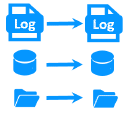
The following comparative tables explain in detail the data replication techniques implemented by SafeKit, a high availability software product.
What is the data replication technique at database level?
It is the replication of log files between two servers made by the database management system (like the SQL Server log).
For an automatic failover, it is mandatory to have synchronous replication otherwise the data of the last validated transactions will not be recovered on the secondary server after a failover.
This data replication technique replicates a database but not the other data of an application. Failover of many applications also requires the replication of other data such as configuration files.
When a server crashes and loses some database files, failback is not automatic. A skilled DBA must restore the database on the failed server.
What is the data replication technique at disk level?
It is the replication of modifications inside disks between two servers (like DRBD).
For an automatic failover, synchronous replication between the disks is mandatory for having 0 data loss.
This data replication technique can replicate databases as well as other files. But, there is a strong impact on the organization of application data. All data must be localized in the relicated disk. This may be impossible if some data to replicate are in the system disk, because this disk must remain specific to each server.
Skills are required to configure a replicated disk with a file system and to configure application data in the replicated disk.
What is the data replication technique at file level?
It is the replication of modifications inside files between two servers (like SafeKit).
For an automatic failover, real-time synchronous replication is required for having 0 data loss.
This data replication technique can replicate databases as well as other files. There is no impact on data organization for an application. For instance, if an application has its data in the system disk, real-time file replication is working.
The solution is very simple to configure as only the paths of directories to replicate are configured.
Comparative tables between data replication techniques
Choosing the right data replication approach is critical for ensuring business continuity. This comparison highlights the key differentiators of SafeKit’s mirror cluster with real-time file replication against traditional alternatives such as database-level replication, disk replication, shared disk solutions, and fault-tolerant systems.
SafeKit mirror cluster: advantages over alternative replication and clustering approaches
| Feature | SafeKit advantage | Limitation of alternatives |
|---|---|---|
| 3 products in 1 | Saves on Windows and Linux the cost of external shared/replicated storage, load balancing boxes, and enterprise editions of OS and databases. Includes all clustering features: synchronous real-time file replication, failure monitoring, automatic restart, virtual IP failover. | Traditional approaches require separate products for storage replication, load balancing, and clustering — increasing cost and complexity. |
| Very simple configuration | Configuration via application modules. New services and replicated directories can be added easily. All managed through a centralized web console. No domain controller or Active Directory required. | Microsoft cluster and similar solutions require complex Active Directory configuration and domain controllers. |
| Synchronous replication | Real-time replication is synchronous with no data loss on failure (RPO = 0). | Asynchronous replication can lose recent transactions that were not yet replicated at failure time. |
| Fully automated failback | After failure, when a server reboots, the replication failback is fully automatic. The failed server reintegrates the cluster without stopping the application on the remaining server. | Most replication solutions (especially database-level) require manual resynchronization. The application may even be stopped during failback. |
| Replication of any type of data | Replication works for databases and for any files that need to be replicated. | Database-level replication only protects the database, not configuration files, logs, or other application data. |
| File replication vs disk replication | Replication is based on file directories that can be located anywhere, even on the system disk. | Disk replication requires a dedicated disk partition and special application configuration to store data there. |
| File replication vs shared disk | Servers can be deployed in two remote sites with no shared infrastructure. | Shared disk solutions require physical proximity and cannot span remote sites. |
| Remote sites and virtual IP | All clustering features work for 2 servers in remote sites. Extended LAN enables level-2 VIP rerouting. For different IP networks, VIP is managed via a load balancer with SafeKit health check. | Many clustering solutions do not support remote site failover or require complex DNS redirection with unpredictable recovery times. |
| Quorum and split brain | Works with only 2 servers. A simple split brain checker to a router handles network isolation between sites. | Most clustering solutions require a 3rd server for quorum management. |
| Active/active cluster | The secondary server is not dedicated. The cluster can run active/active with 2 different mirror modules. | Fault-tolerant systems dedicate the secondary to execute the same application synchronized at instruction level. |
| Uniform HA solution | SafeKit implements both mirror cluster (replication + failover) and farm cluster (load balancing + failover). A N-tier architecture can be made HA with one solution on Windows and Linux. | Typical architectures mix different technologies for load balancing, replication, and failover — increasing operational complexity. |
| RTO / RPO | Quick application restart in case of failure: around 1 minute or less. Zero data loss (synchronous replication). | Full VM replication (VMware HA, Hyper-V cluster) requires rebooting the entire OS on a new hypervisor, resulting in longer recovery times. |
In summary , SafeKit’s mirror cluster provides a unified, cost-effective high availability solution that combines synchronous file replication, automatic failover and failback, load balancing, and remote site support — all without requiring dedicated hardware, shared storage, or a third quorum server. This simplicity makes it particularly suited for software editors and organizations needing reliable HA on standard Windows and Linux servers.
🔍 SafeKit High Availability Navigation Hub
Explore SafeKit: Features, technical videos, documentation, and free trial
| Resource Type | Description | Direct Link |
|---|---|---|
| Key Features | Why Choose SafeKit for Simple and Cost-Effective High Availability? | See Why Choose SafeKit for High Availability |
| Use Cases | Explore How SafeKit Ensures the High Availability of Critical Infrastructure | See All Use Cases (OEM Software, Edge Servers, SCADA, and more) |
| Deployment Model | All-in-One SANless HA: Shared-Nothing Software Clustering | See SafeKit All-in-One SANless HA |
| HA Strategies | SafeKit: Infrastructure (VM) vs. Application-Level High Availability | See SafeKit HA & Redundancy: VM vs. Application Level |
| Technical Specifications | Technical Limitations for SafeKit Clustering | See SafeKit High Availability Limitations |
| Videos | SafeKit: High Availability Configuration & Failover Demos | See SafeKit Failover Tutorials |
| Architecture | How the SafeKit Mirror Cluster works (Real-Time Replication & Failover) | See SafeKit Mirror Cluster: Real-Time Replication & Failover |
| Architecture | How the SafeKit Farm Cluster works (Network Load Balancing & Failover) | See SafeKit Farm Cluster: Network Load Balancing & Failover |
| Competitive Advantages | Comparison: SafeKit vs. Traditional High Availability (HA) Clusters | See SafeKit vs. Traditional HA Cluster Comparison |
| Technical Resources | SafeKit High Availability: Documentation, Downloads & Trial | See SafeKit HA Free Trial & Technical Documentation |
| Pre-configured Solutions | SafeKit Application Module Library: Ready-to-Use HA Solutions | See SafeKit High Availability Application Modules |