Best and Worst High Availability Use Cases: A SafeKit Implementation Guide
Best use cases
OEM Software
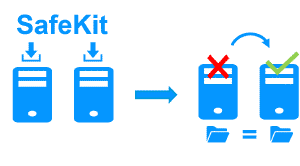
A software publisher uses SafeKit as an OEM software for high availability of its application
Distributed Enterprise
A distributed enterprise deploys SafeKit in many branches without specific IT skills

Remote Sites
SafeKit is deployed in two remote sites without the need for replicated bays of disks through a SAN.

SafeKit High Availability Limitations
| Limit / Requirement | Reason & Impact | Recommended Alternative |
|---|---|---|
| Replication size: A few TBs | Resynchronization time after failure (step 3): • 1 Gb/s network ≈ 3 hours / TB • 10 Gb/s network ≈ 1 hour / TB (depending on disk write performances) | • Use external shared storage (more expensive, more complex). |
| File count: < 1,000,000 files | • Resynchronization time performance after a failure (step 3). • Time to check each file between both nodes. | • Put the many files to replicate in a virtual hard disk / virtual machine. • Only the files representing the virtual hard disk / virtual machine will be replicated and resynchronized in this case. |
| Failover capacity: ≤ 32 VMs | • Each VM runs in an independent mirror module. • Maximum of 32 mirror modules running on the same cluster. | • Use an external shared storage and another VM clustering solution (more expensive, more complex). |
| Network architecture: LAN/VLAN network between remote sites | • Automatic failover of the virtual IP address with 2 nodes in the same subnet. • Good bandwidth for resynchronization (step 3). • Low latency for synchronous replication: typically < 5 ms RTT; higher values should be validated against the application’s write rate. | • Use a load balancer for the virtual IP address if the 2 nodes are in 2 subnets (supported by SafeKit, especially in the cloud). • Use backup solutions with asynchronous replication for high latency network. |
🔍 SafeKit High Availability Navigation Hub
Explore SafeKit: Features, technical videos, documentation, and free trial
| Resource Type | Description | Direct Link |
|---|---|---|
| Key Features | Why Choose SafeKit for Simple and Cost-Effective High Availability? | See Why Choose SafeKit for High Availability |
| Use Cases | Explore How SafeKit Ensures the High Availability of Critical Infrastructure | See All Use Cases (OEM Software, Edge Servers, SCADA, and more) |
| Deployment Model | All-in-One SANless HA: Shared-Nothing Software Clustering | See SafeKit All-in-One SANless HA |
| HA Strategies | SafeKit: Infrastructure (VM) vs. Application-Level High Availability | See SafeKit HA & Redundancy: VM vs. Application Level |
| Technical Specifications | Technical Limitations for SafeKit Clustering | See SafeKit High Availability Limitations |
| Videos | SafeKit: High Availability Configuration & Failover Demos | See SafeKit Failover Tutorials |
| Architecture | How the SafeKit Mirror Cluster works (Real-Time Replication & Failover) | See SafeKit Mirror Cluster: Real-Time Replication & Failover |
| Architecture | How the SafeKit Farm Cluster works (Network Load Balancing & Failover) | See SafeKit Farm Cluster: Network Load Balancing & Failover |
| Competitive Advantages | Comparison: SafeKit vs. Traditional High Availability (HA) Clusters | See SafeKit vs. Traditional HA Cluster Comparison |
| Technical Resources | SafeKit High Availability: Documentation, Downloads & Trial | See SafeKit HA Free Trial & Technical Documentation |
| Pre-configured Solutions | SafeKit Application Module Library: Ready-to-Use HA Solutions | See SafeKit High Availability Application Modules |