Edge High Availability Without a Data Center: SafeKit for OT & Distributed Sites
The Edge HA Challenge
Edge sites often have no data center and no HA expertise — yet business continuity is critical. A factory floor, an offshore oil platform, a hospital clinic, a retail store, or a 5G antenna site cannot afford downtime, but cannot justify the cost and complexity of a traditional data center HA cluster.
Traditional HA solutions — Microsoft Failover Cluster (WSFC), Pacemaker/Corosync, VMware HA — were designed for data centers: they assume shared storage (SAN/NAS), dedicated cluster hardware, permanent IT staff, and complex OS-level expertise. None of these exist at the edge.
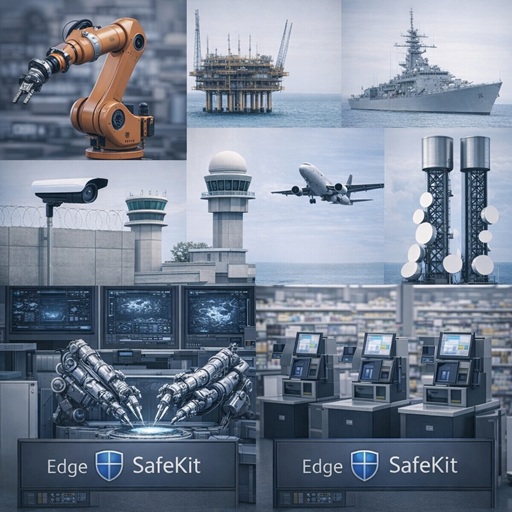
SafeKit was built for exactly this gap. It keeps edge applications running in factories, oil platforms, ships, building security, air traffic control, 5G networks, healthcare, retail, and more — with nothing more than two standard servers and a LAN.
What Makes SafeKit the Natural Fit for Edge
SafeKit turns two standard edge servers (any brand, physical or virtual) into a plug-and-play HA cluster — no shared storage, no SAN, no special hardware. One lightweight software stack delivers:
- Real-time synchronous file replication — data is mirrored byte-level to the standby server at write time
- Automatic failover — if the primary server fails, the standby takes over without human intervention, within seconds
- Optional network load balancing — for active-active deployments where both servers share the workload
- Web console — browser-based management, remotely accessible over HTTPS, requiring no on-site expertise
- Silent, scriptable install — suitable for OEM embedding and mass deployment across hundreds of distributed sites
There is no SAN to procure, no Windows Server Datacenter license required, no Linux cluster OS expertise needed, and no dedicated cluster hardware. The entire HA stack is a single software package.
Edge & Distributed Deployment Suitability
SafeKit is specifically designed for edge, branch office, and distributed enterprise scenarios:
| Edge Requirement | SafeKit Answer |
|---|---|
| No dedicated IT staff on-site | Automatic failover, no manual intervention required |
| No SAN/NAS infrastructure | SANless architecture, local disks only |
| Remote management | Web console accessible over HTTPS from any browser |
| Low hardware footprint | 2 standard servers or VMs, no special hardware |
| Works behind firewalls/NAT | Configurable ports, HTTPS-based console |
| Multi-site disaster recovery | Mirror between two geographic sites over stretched VLAN |
| Air-gapped / offline networks | No internet dependency; fully self-contained |
| OEM/embedded deployment | Silent install, scriptable, embeddable by software publishers |
| Hundreds of distributed clusters | Designed for distributed enterprises managing many branches |
Why Edge OT Environments Are Different
OT (Operational Technology) environments — SCADA, BMS, physical security, industrial control — have requirements that differ fundamentally from IT data centers:
- No IT staff on-site. A substation, a remote pump station, or a ship has no sysadmin. HA must be self-managing.
- Air-gapped or constrained networks. Many OT sites have no internet access and limited WAN bandwidth. HA software must work fully offline.
- 24/7 uptime, zero tolerance for complexity. Stopping a production line, losing video surveillance, or interrupting access control costs far more than the HA software itself.
- Long equipment lifecycles. OT servers may run 10–15 years. The HA solution must be stable, low-maintenance, and not require constant updates.
- Standard x86 hardware only. No budget or justification for SAN or dedicated cluster nodes at a remote industrial site.
- Intolerance for OS-level complexity. Pacemaker, Corosync, or WSFC require cluster expertise that OT operators simply do not have and should not need.
SafeKit’s SANless, two-server, automatic-failover model addresses every one of these constraints directly.
Ideal Edge Use Cases
Any site without a data center — where high availability still matters:
| Vertical | Typical Edge Site | Critical Application |
|---|---|---|
| Physical security & surveillance | Buildings, campuses, airports | VMS — Milestone, Genetec, Hanwha, Siemens Siveillance |
| Building management (BMS) | Office buildings, hospitals, factories | Siemens Desigo CC, Bosch BIS/BVMS |
| Electronic access control (EACS) | Secure facilities, campuses | Siemens SiPass, Nedap, Bosch AMS |
| SCADA & industrial control | Factories, substations, water plants | Any SCADA, DCS, or HMI software on Windows or Linux |
| Air traffic control (ATC) | Airports, control towers | ATC management and radar systems |
| Operations control centers (OCC) | Metro, railway, transit hubs | Railway signaling and station management |
| Maritime | Ships, naval vessels | Navigation, cargo and onboard management systems |
| Oil & gas | Offshore platforms, remote rigs | Process control and safety systems |
| Telecommunications | 5G antenna sites, MEC nodes | Multi-access edge computing (MEC) servers |
| Healthcare | Clinics, remote diagnostic centers | Medical imaging, patient data, remote diagnostics |
| Retail | Stores, branches, warehouses | Point-of-sale and inventory management |
| Defense | Forward operating bases, field units | Mission-critical command and communications systems |
Edge vs. Data Center HA: Key Differences
| Criterion | Data Center HA (WSFC, Pacemaker, VMware HA) | SafeKit Edge HA |
|---|---|---|
| Storage | Requires SAN/NAS shared storage | SANless — local disks only |
| Hardware | Dedicated cluster nodes, HBAs, switches | Any two standard x86 servers |
| OS expertise | Windows Datacenter or Linux cluster OS skills | Standard Windows/Linux admin skills |
| On-site staff | Required for setup and intervention | Not required — fully automatic |
| Internet/cloud dependency | Often cloud-managed | Fully air-gap capable |
| Deployment scale | Single data center | Hundreds of distributed sites |
| License cost | High (Datacenter OS, SAN licenses) | Single affordable software license per cluster |
| Typical RTO | 1–5 minutes | Under 1 minute (configurable) |
Technical Minimum Requirements
- Servers: 2 standard x86 servers or VMs (any hardware brand, physical or virtual) or ARM (Linux only)
- OS: Windows Server 2019 / 2022 / 2025, Windows 11, RHEL 8/9, Ubuntu 24.04
- Network: 1 Gbps LAN for replication; dedicated heartbeat network recommended
- Storage: Local disks only — no SAN, no NAS, no shared storage of any kind
- No special OS edition — Windows Server Standard is sufficient; no Datacenter license required
For full technical specifications, sizing constraints, and procurement criteria, see the 📘 RFP/RFI Technical Reference.
🔍 Explore SafeKit
Find information about SafeKit features, architectures, videos, documentation, and the free trial.
| Resource | Description | Link |
|---|---|---|
| Key features | Learn why SafeKit is a simple and cost-effective high availability solution. | Discover the key features |
| Use cases | Learn how SafeKit keeps critical applications and infrastructure available. | Explore the use cases |
| Deployment model | SafeKit provides high availability without a SAN or shared storage. | Explore the deployment model |
| High availability strategies | Compare high availability for virtual machines with high availability for applications. | Compare the two strategies |
| Technical specifications | Check the technical requirements and limitations for SafeKit clusters. | Read the technical specifications |
| Videos | Watch demonstrations of SafeKit configuration and automatic failover. | Watch the technical videos |
| Architecture | Learn how the SafeKit Mirror cluster replicates files in real time and handles failover. | Explore the Mirror architecture |
| Architecture | Learn how the SafeKit Farm cluster balances network traffic and handles failover. | Explore the Farm architecture |
| Product comparison | Compare SafeKit with traditional high availability clusters. | Compare the solutions |
| Technical resources | Find technical documentation, download SafeKit, and access the free trial. | Access the documentation and free trial |
| Application modules | Use preconfigured SafeKit modules to set up high availability for your applications. | Explore the application modules |